Trunking Questions 2
Question 1
A technician has just issued the “switchport trunk native vlan 100” on a trunk link. What is this command used for?
A. Both VLAN 1 and VLAN 100 are set as the native vlan
B. Frames on VLAN 100 must be tagged before sending out a trunk link
C. The interface Vlan 100 will be created on the switch
D. Traffic on VLAN 100 will not be tagged on this trunk link
Answer: D
Question 2
What are the requirements for configuring VLAN trunking on a router interface? (Choose three)
A. Each subinterface must be configured with a separate network or subnetwork
B. Each subinterface must be configured with encapsulation 802.1q and a number that identifies the VLAN
C. Each subinterface number must match the VLAN
D. The main interface must be configured with an IP address
E. Each subinterface is assigned to one VLAN
F. The main interface must be turned off while the subinterfaces must be turned on
Answer: A B E
Question 3
What Layer 2 protocols are designed to bring multiple VLANs on a trunk link? (Choose two)
A. STP
B. VTP
C. DTP
D. 802.1q
E. ISL
F. VLAN
Answer: D E
Explanation
Cisco switches support two trunking protocols 802.1q & ISL. 802.1q is an open standard and is thus compatible between most vendors’ equipment while Inter-Switch Link (ISL) is Cisco proprietary.
Question 4
What commands can we used to check a trunk link on a switch?
A. show ip interface brief
B. show interfaces trunk
C. show cdp neighbors
D. show interfaces switchport
E. show vlan
F. show ip protocols
Answer: B D
Explanation
The “show interfaces trunk” command and “show interfaces switchport” command can be used to verify the status of an interface (trunking or not). The outputs of these commands are shown below (port Ethernet 1/0 has been configured as trunk):
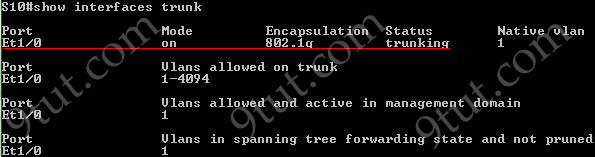
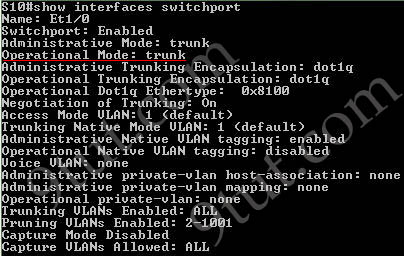
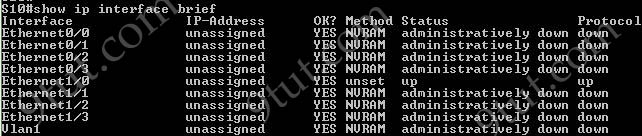
The “show ip interface brief” command only gives us information about the IP address, the status (up/down) of an interface:
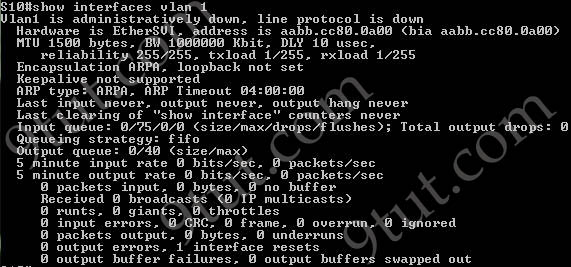
The “show interfaces vlan” command only gives us information about that VLAN, not about which ports are the trunk links: